Wards 10 Best Interior & UX Award
Wards 10 Best Interior & UX Award
2025 Best Tech for Infotainment by MotorTrend
2025 Best Tech for Infotainment by MotorTrend
Designing the Vehicle Controls Framework for
Designing the Vehicle Controls Framework for
Designing the Vehicle Controls Framework for
Ford and Lincoln Vehicles
Ford and Lincoln Vehicles
Ford and Lincoln Vehicles
Timeline
Timeline
6 Months
6 Months
Tools
Tools
Figma, Protopie, Unreal, Jira
Figma, Protopie, Unreal, Jira
Team
Team
Me, 1 UX Researcher, 2 Unreal 3D Designers,
1 Product Manager and 1 Development Lead
Me, 1 UX Researcher, 2 Unreal 3D Designers,
1 Product Manager and 1 Development Lead
Me, 1 UX Researcher, 2 Unreal 3D Designers,
1 Product Manager and 1 Development Lead
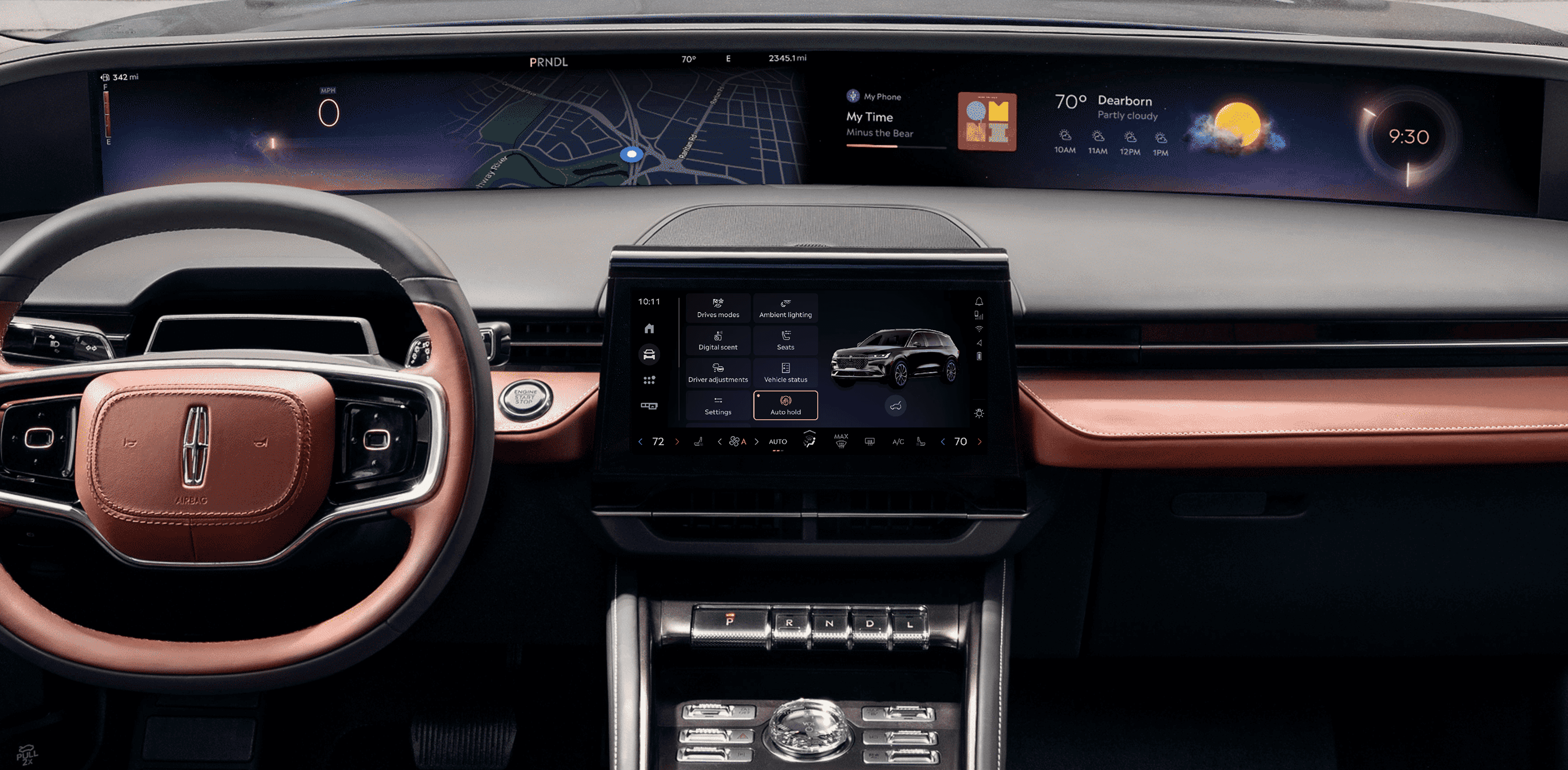
One of the first and most important problems I started working on, immediately after starting my role at Ford was to develop a UX Framework around the problem - “How do we bring the most important vehicle controls within two touches for the user”.
One of the first and most important problems I started working on, immediately after starting my role at Ford was to develop a UX Framework around the problem - “How do we bring the most important vehicle controls within two touches for the user”.
One of the first and most important problems I started working on, immediately after starting my role at Ford was to develop a UX Framework around the problem - “How do we bring the most important vehicle controls within two touches for the user”.
Problem
Problem
Essential vehicle controls, like opening the trunk or adjusting seats, were buried in complex menus, making them hard to access quickly. This led to driver distraction and frustration.
Essential vehicle controls, like opening the trunk or adjusting seats, were buried in complex menus, making them hard to access quickly. This led to driver distraction and frustration.
Outcome
Outcome
I designed a streamlined controls framework from 0 to 1 that grouped commonly used functions into an intuitive interface. This reduced navigation complexity, improved accessibility, and ensured a safer, more seamless driving experience.
I designed a streamlined controls framework from 0 to 1 that grouped commonly used functions into an intuitive interface. This reduced navigation complexity, improved accessibility, and ensured a safer, more seamless driving experience.
The Process
The Process
Using the Double Diamond framework, we identified user pain points, explored solutions, and refined designs through testing, ensuring quick, intuitive vehicle controls with minimal distraction.
Using the Double Diamond framework, we identified user pain points, explored solutions, and refined designs through testing, ensuring quick, intuitive vehicle controls with minimal distraction.
Using the Double Diamond framework, we identified user pain points, explored solutions, and refined designs through testing, ensuring quick, intuitive vehicle controls with minimal distraction.
What We Learned from Users
What We Learned from Users
Collaborated with product teams, analyzed interfaces from leading automakers using Screens Studio and gathered insights into most frequently used controls and frustrations by conducting surveys. Here are the main findings.
Collaborated with product teams, analyzed interfaces from leading automakers using Screens Studio and gathered insights into most frequently used controls and frustrations by conducting surveys. Here are the main findings.
Overwhelming Menus
Overwhelming Menus
Users felt frustrated navigating through deep, complex menus to access essential features like traction control or seat adjustments.
Users felt frustrated navigating through deep, complex menus to access essential features like traction control or seat adjustments.
Prioritization Gap
Prioritization Gap
Drivers wanted fast access to frequently used controls, but these were often buried under less important settings.
Drivers wanted fast access to frequently used controls, but these were often buried under less important settings.
Distraction Concerns
Distraction Concerns
Users expressed concerns about the time and attention required to interact with the system, especially while driving.
Users expressed concerns about the time and attention required to interact with the system, especially while driving.
Early Explorations & Flows
Early Explorations & Flows
Early Explorations & Flows
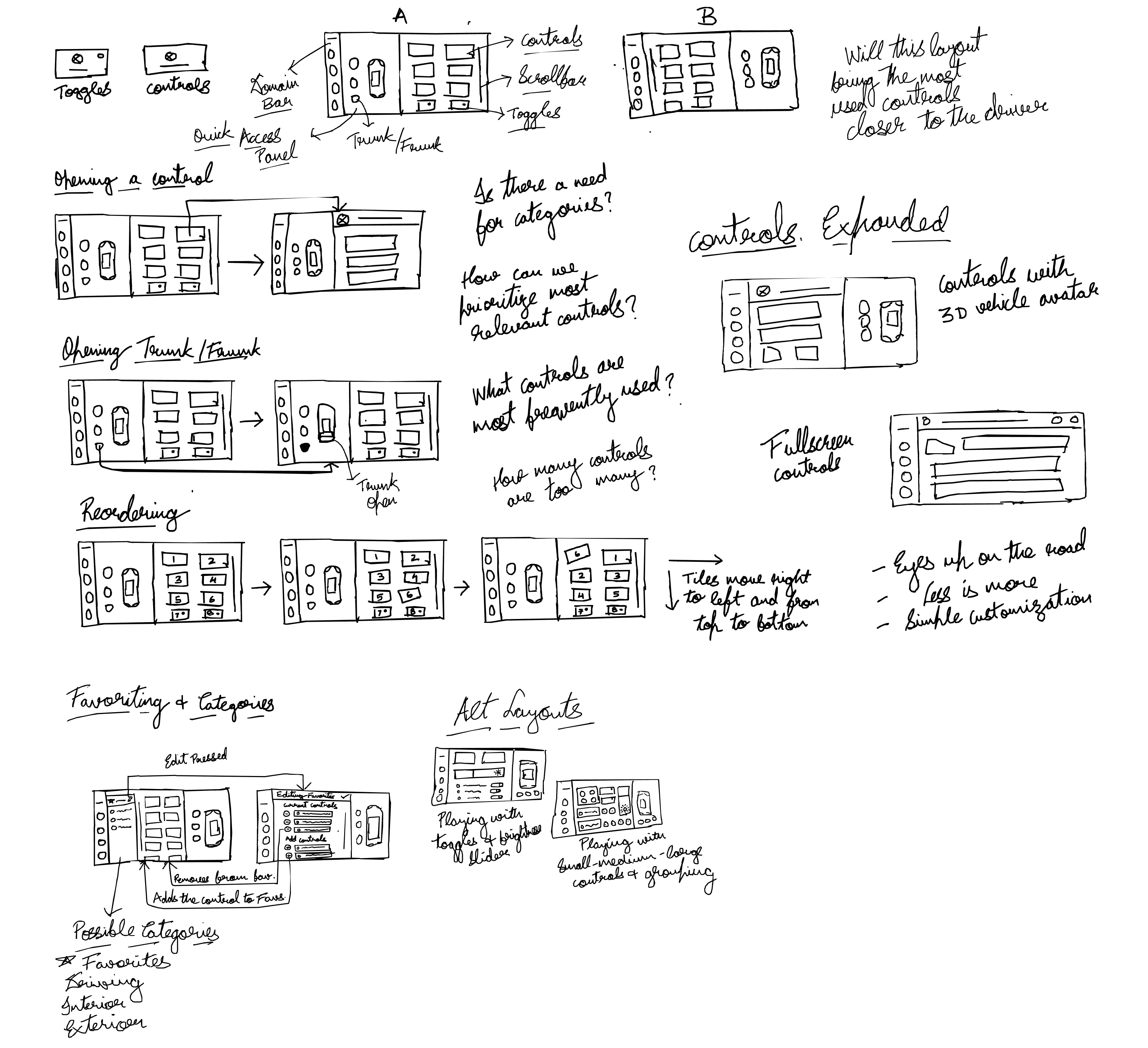
A collection of initial ideas, layouts and user-flows that I sketched using user insights and Ford OS design principles.
A collection of initial ideas, layouts and user-flows that I sketched using user insights and Ford OS design principles.
Iterative Decisions and Rationale
Iterative Decisions and Rationale
Key design decisions focused on layout, controls, and the transition from 2D concepts to 3D vehicle models.
Key design decisions focused on layout, controls, and the transition from 2D concepts to 3D vehicle models.
Key design decisions focused on layout, controls, and the transition from 2D concepts to 3D vehicle models.
Left vs Right Aligned Access Panel
Left vs Right Aligned Access Panel
Driver Ergonomics
Driver Ergonomics
While driving, the left side of the screen is easier to reach, so we reserved that area for frequently accessed in-drive functions.
While driving, the left side of the screen is easier to reach, so we reserved that area for frequently accessed in-drive functions.
Context of Use
Context of Use
Access controls (e.g., opening trunk, charging port) are mostly used when parked. Placing them on the right side created a clear separation between in-drive and parked state functions.
Access controls (e.g., opening trunk, charging port) are mostly used when parked. Placing them on the right side created a clear separation between in-drive and parked state functions.
Control Density & Layout
Control Density & Layout
Too many controls created choice paralysis and interfered with cognitive ease and driver safety. We reduced density and moved to 2x4 layout after testing showed that users struggled to parse tightly-packed grids while driving
Too many controls created choice paralysis and interfered with cognitive ease and driver safety. We reduced density and moved to 2x4 layout after testing showed that users struggled to parse tightly-packed grids while driving
3x3 Layout
3x3 Layout
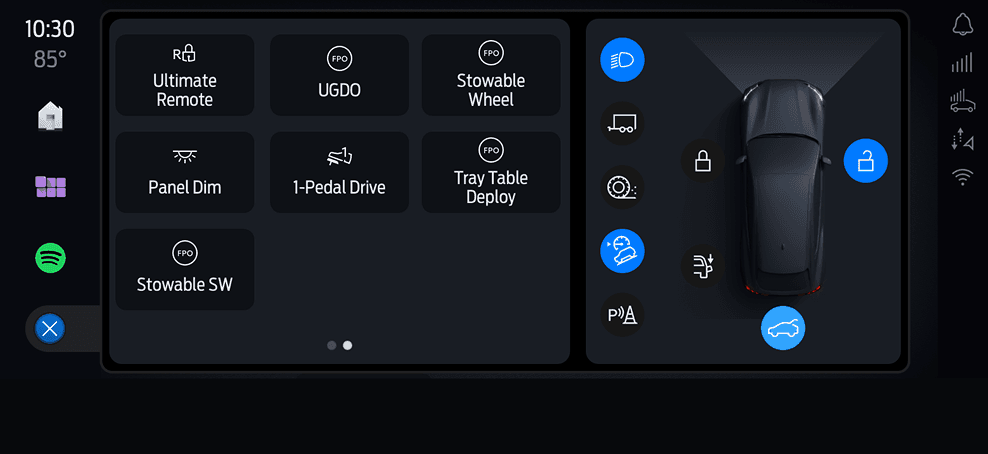
2x4 Layout
2x4 Layout
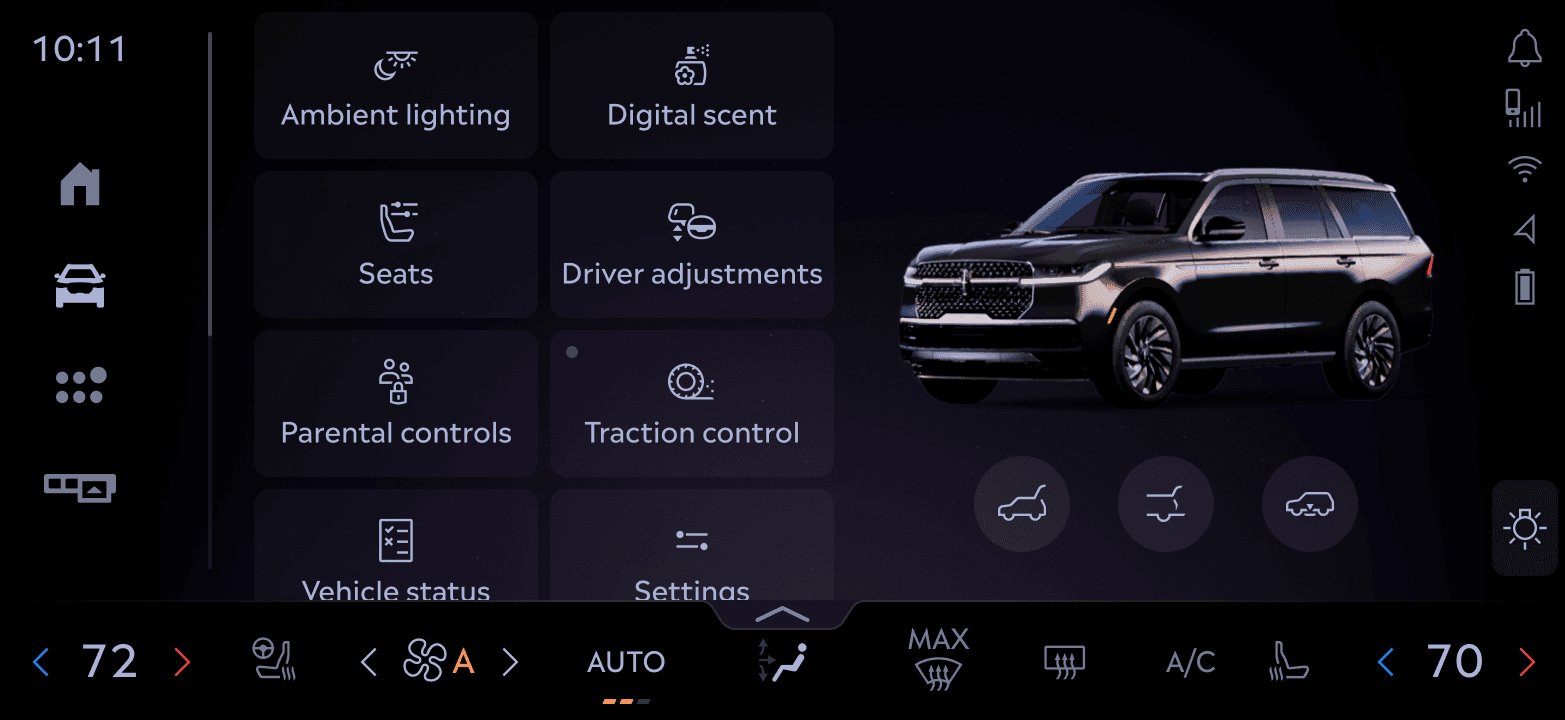
We also explored grouping features into subcategories, but avoided it unless the volume of features truly demanded it. Fewer controls didn’t justify extra layers, flat architecture served better for speed and recall.
We also explored grouping features into subcategories, but avoided it unless the volume of features truly demanded it. Fewer controls didn’t justify extra layers, flat architecture served better for speed and recall.
Vehicle Avatar Integration & Vehicle Feedback
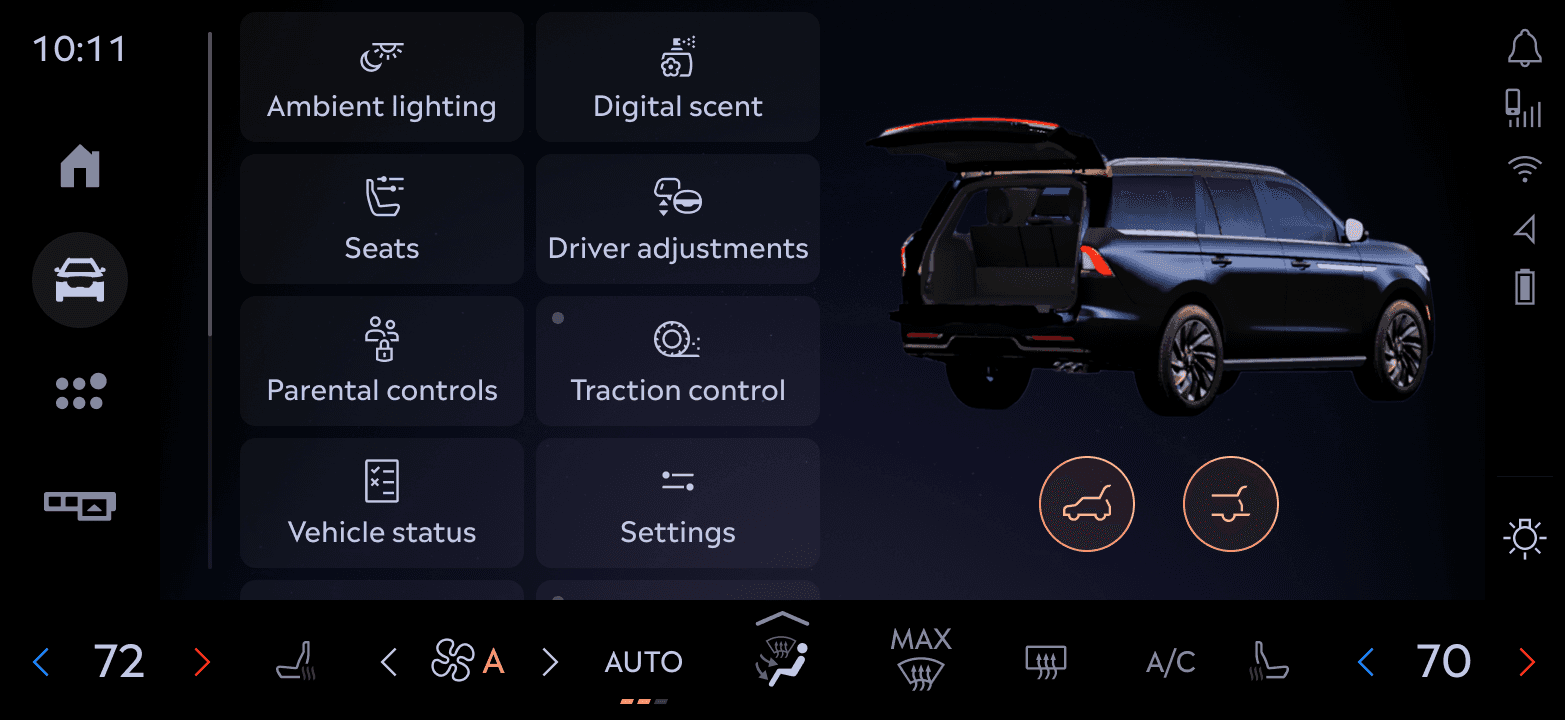
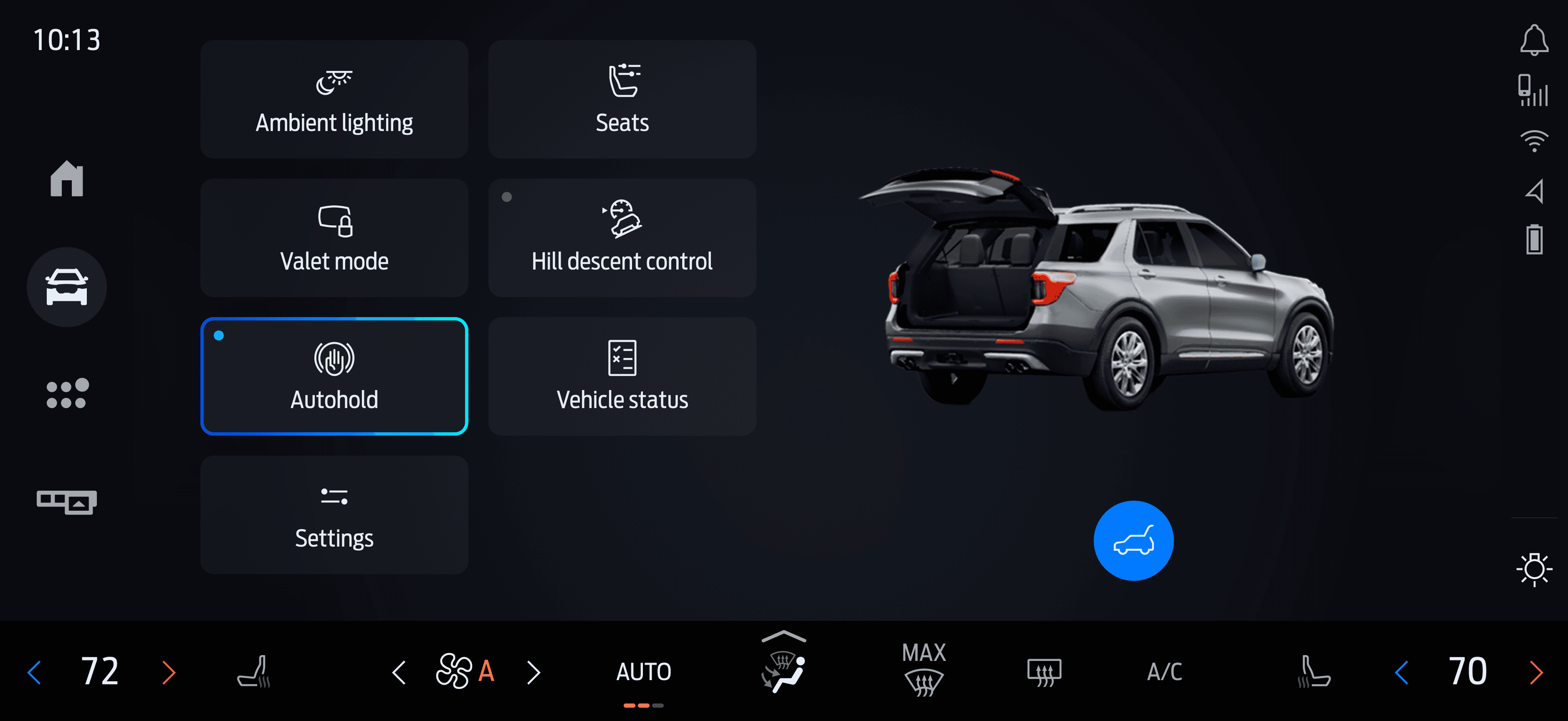
Rather than a flat control list, some features used the 3D avatar to mirror real-world actions (e.g., open or close trunk, vehicle status). This was a systems-level interaction decision that improved learnability and discoverability over static UI.
Rather than a flat control list, some features used the 3D avatar to mirror real-world actions (e.g., open or close trunk, vehicle status). This was a systems-level interaction decision that improved learnability and discoverability over static UI.
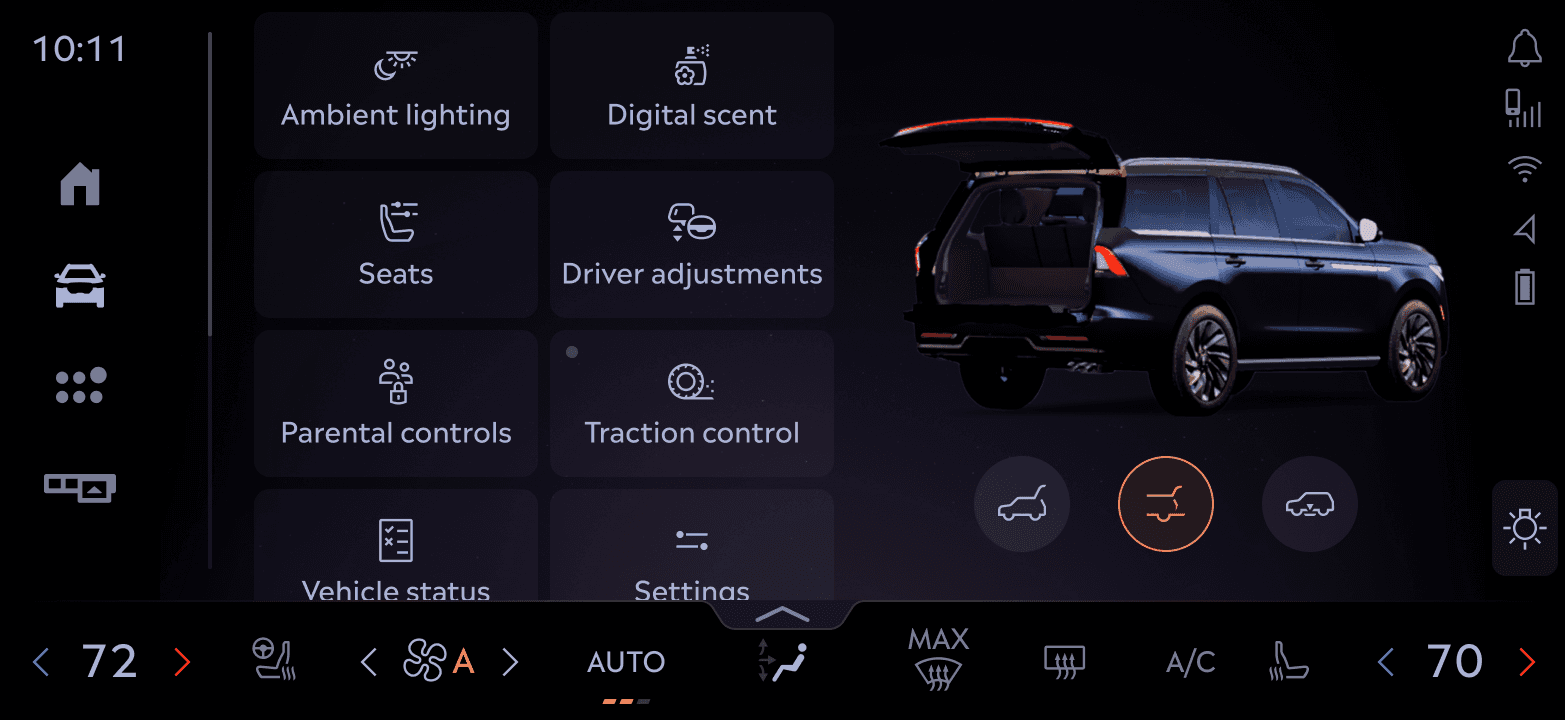
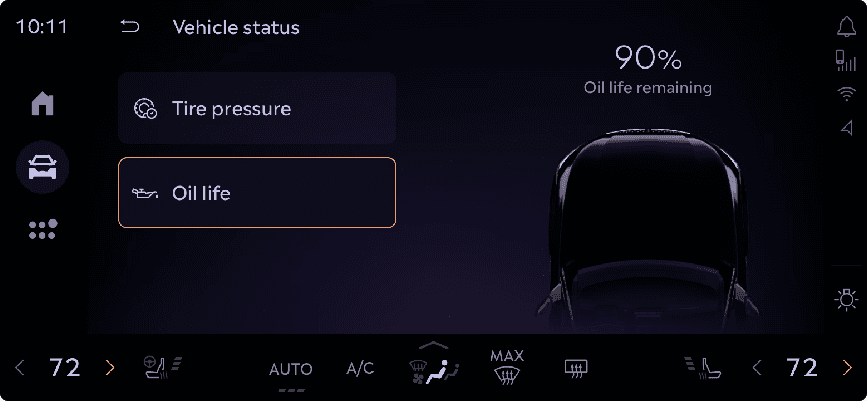
The avatar became a core part of the control experience, grounding the UI with a spatial, real-world reference point.
The Final Solution
The Final Solution
We designed a flexible framework that adapts to driving context—minimizing distractions while still supporting rich vehicle interactions when needed. The focus was on clarity, safety, and spatial awareness,
We designed a flexible framework that adapts to driving context—minimizing distractions while still supporting rich vehicle interactions when needed. The focus was on clarity, safety, and spatial awareness,
System Architecture
System Architecture
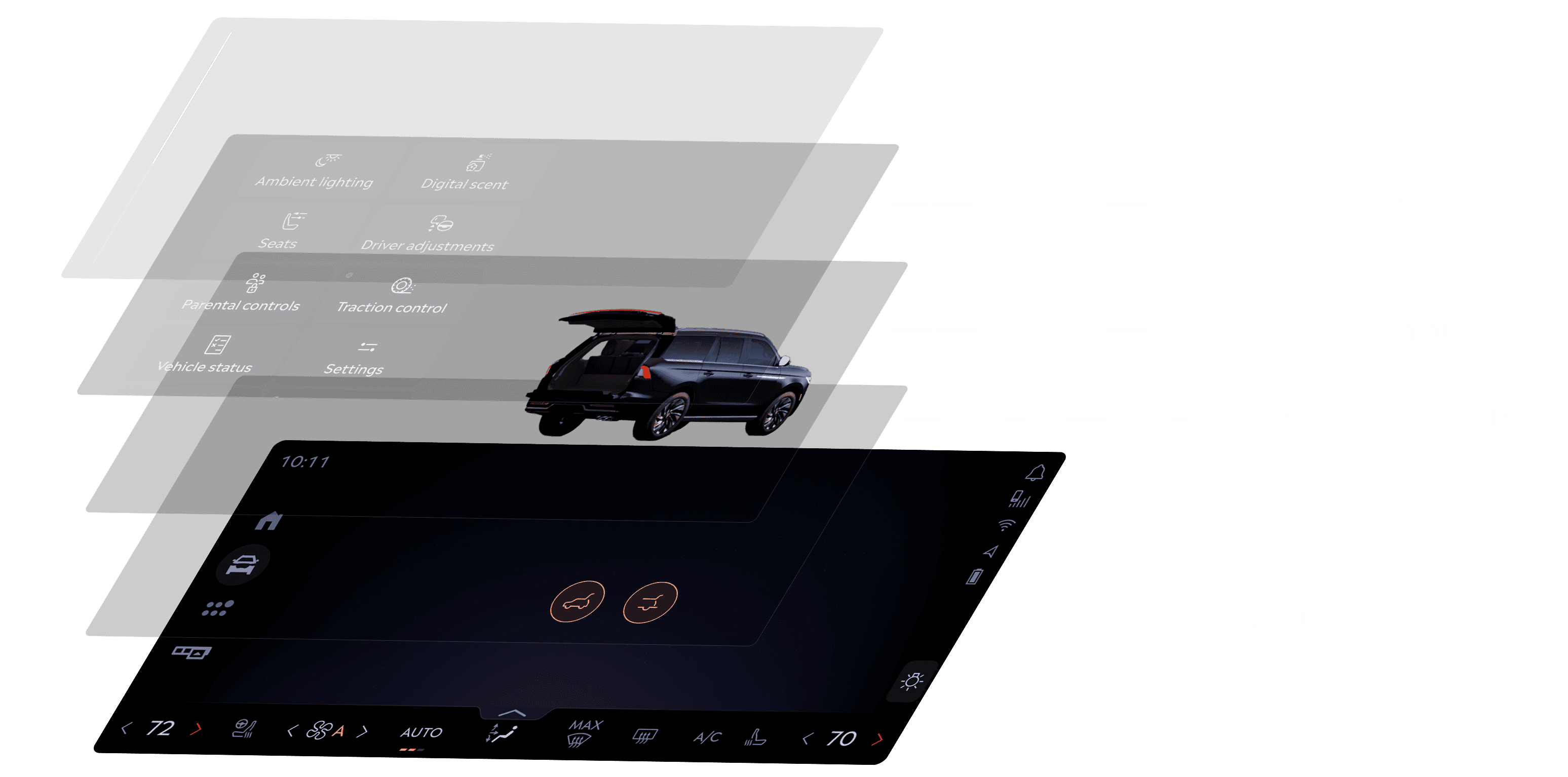
Interface Breakdown
Interface Breakdown
A sliced view of the final interface highlighting key functional zones—from access panel and vehicle avatar to control tiles, showing how each area supports different user intents with clarity and consistency.
A sliced view of the final interface highlighting key functional zones—from access panel and vehicle avatar to control tiles, showing how each area supports different user intents with clarity and consistency.
Hands-On Interaction: Real-Time Control Flow
Hands-On Interaction: Real-Time Control Flow
Captured on bench: showing how quick reordering and deeper control interactions work in real-time.
Captured on bench: showing how quick reordering and deeper control interactions work in real-time.
System in Action
System in Action
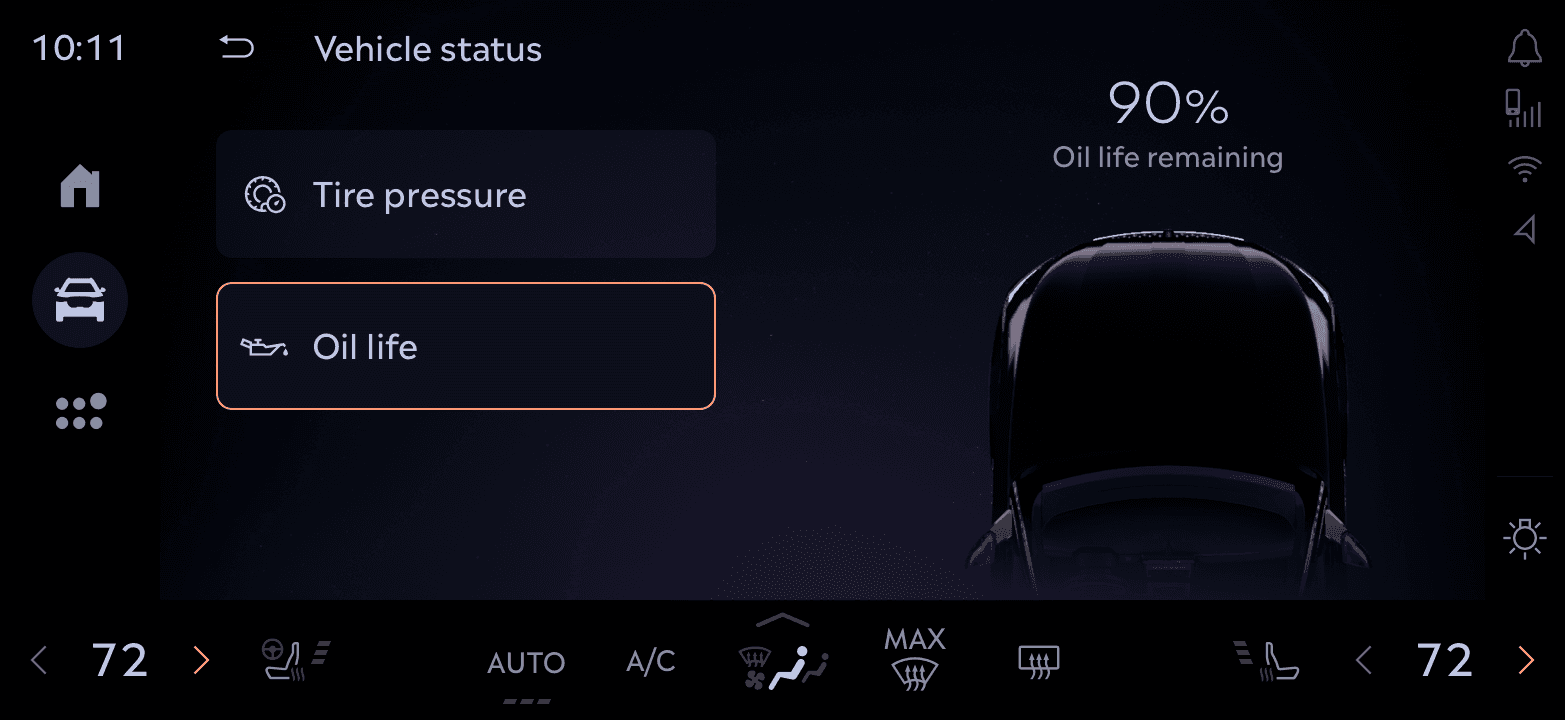
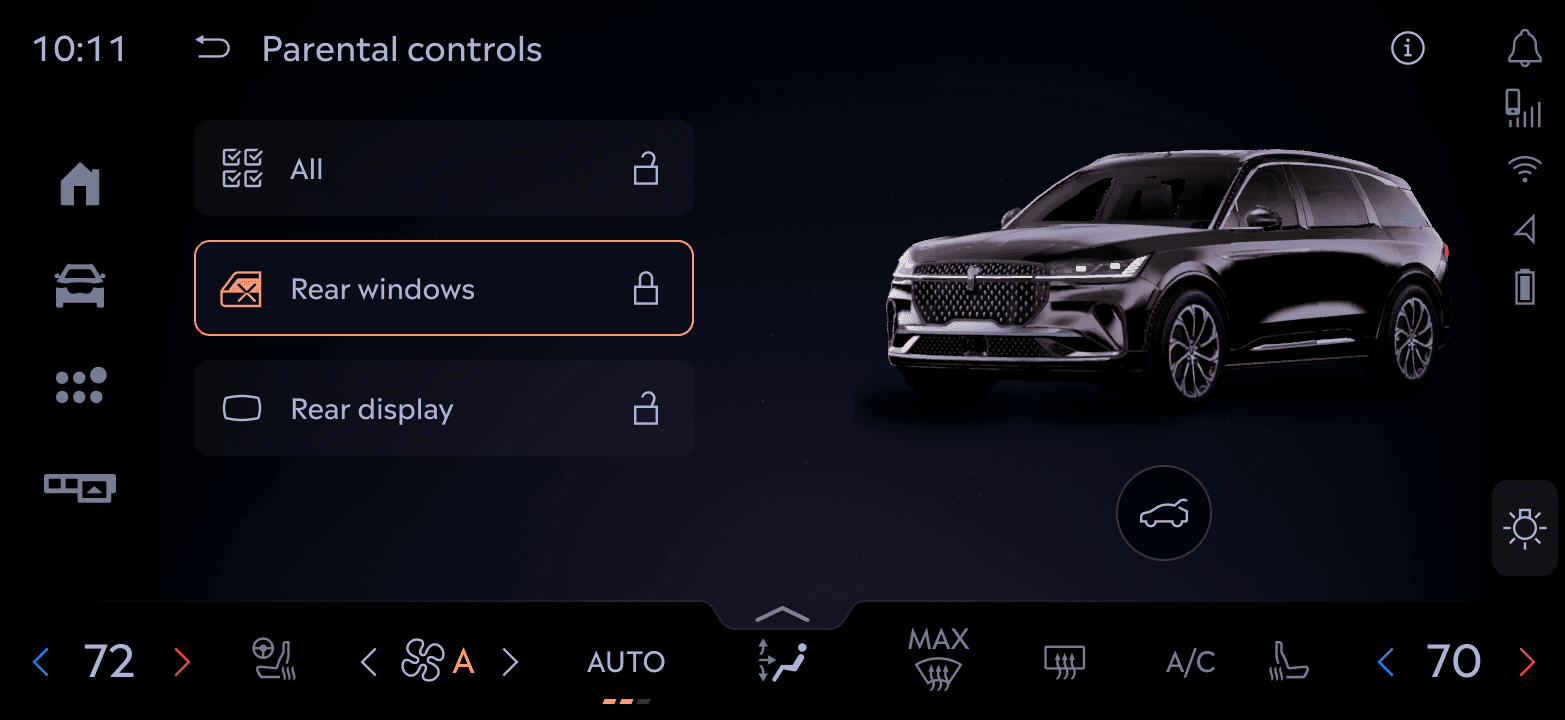
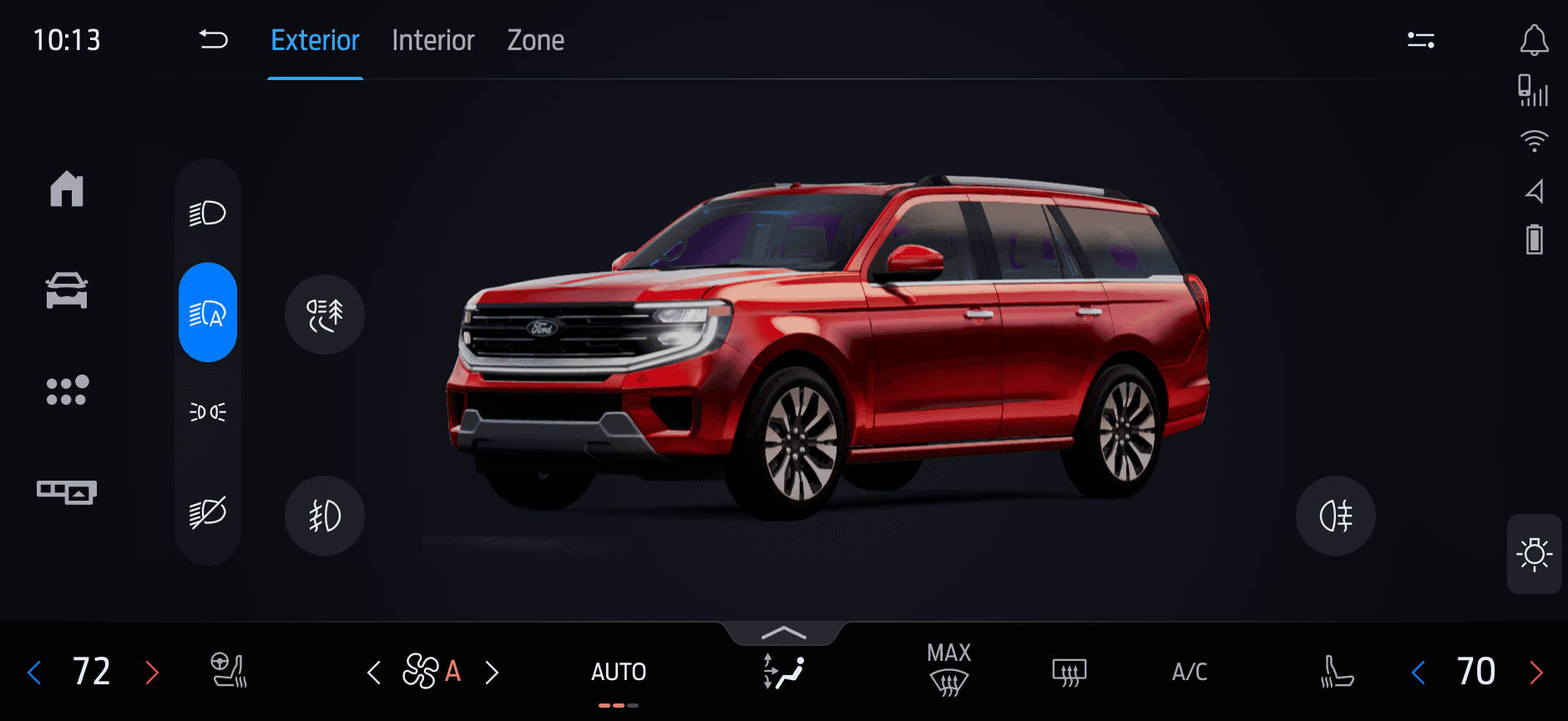
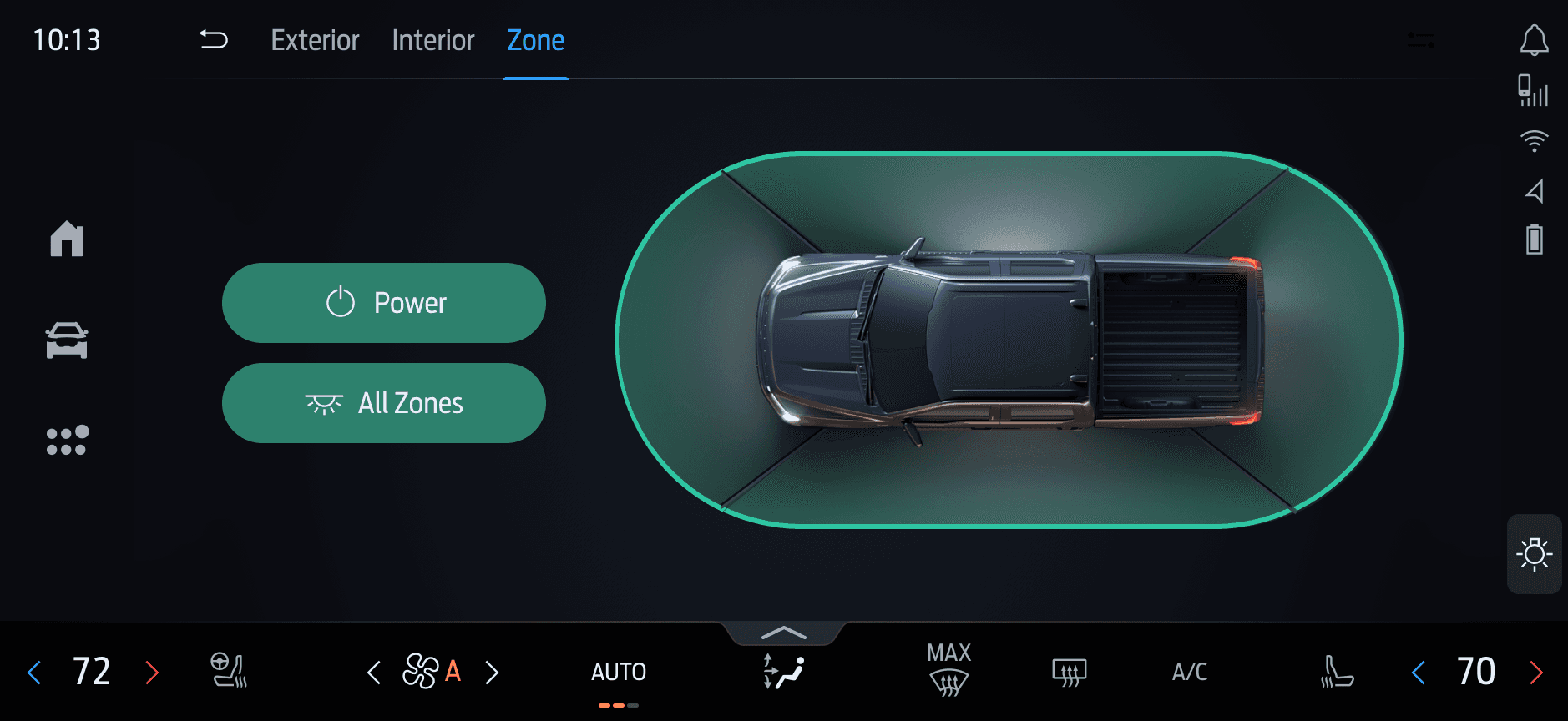
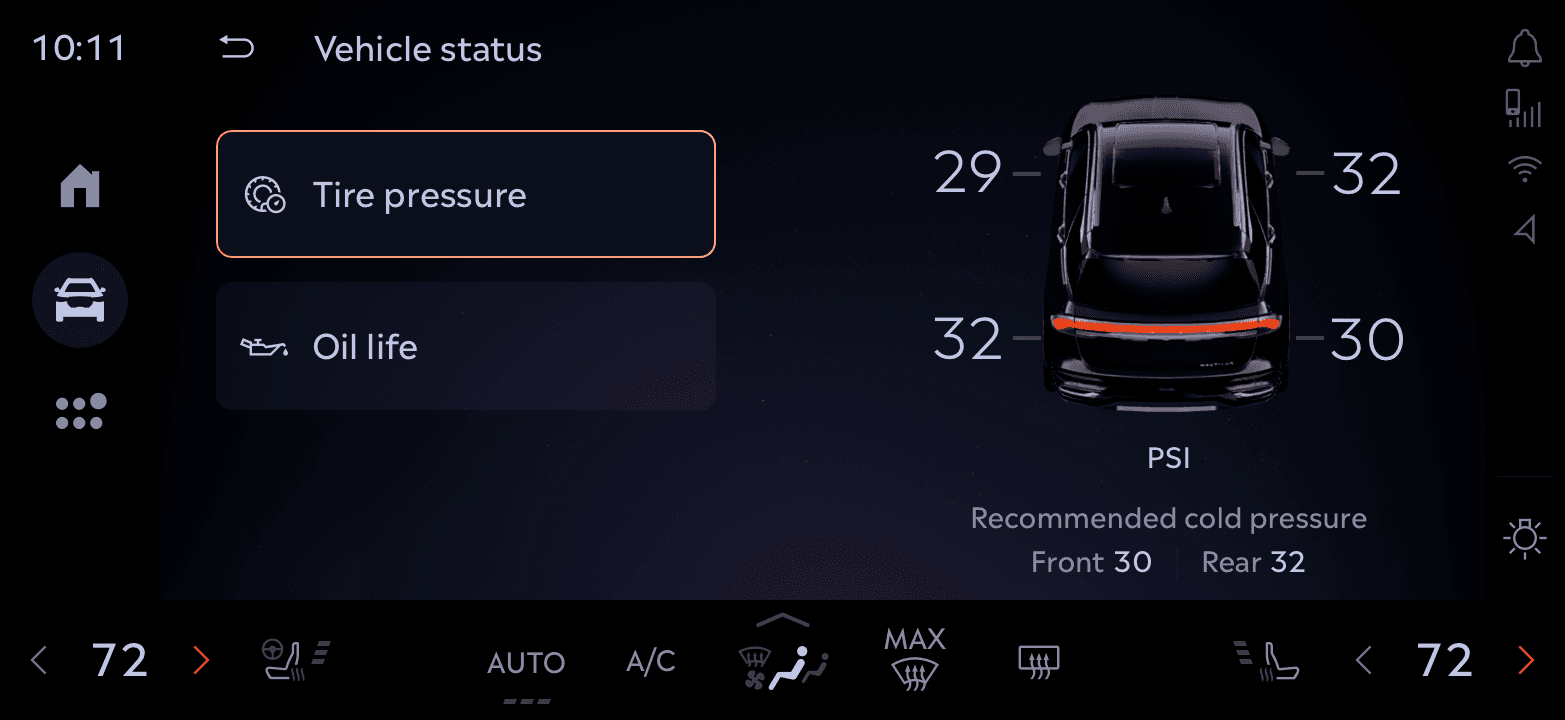
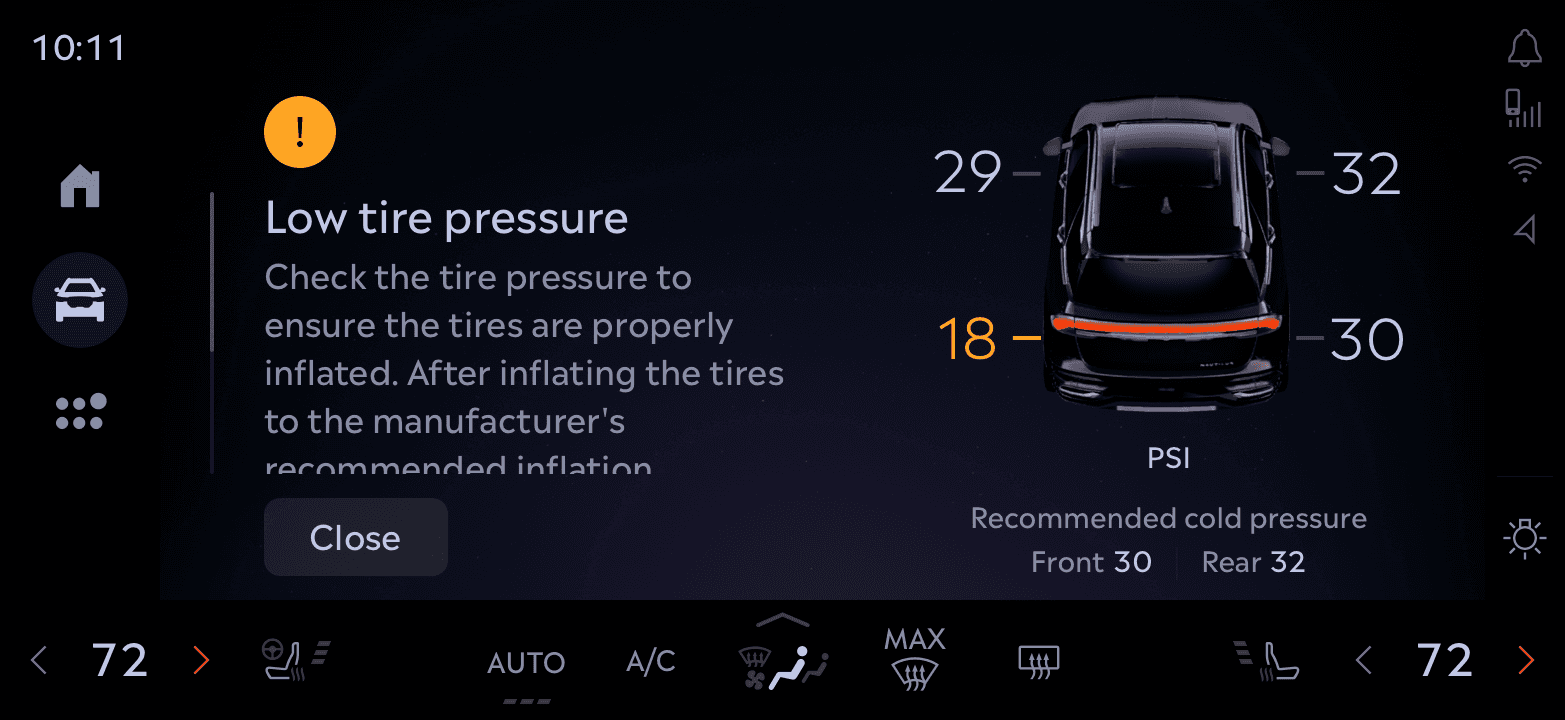
A look at how various control modules like Vehicle status, Parental Controls, Lighting, and more leverage this system. Some tap into the 3D avatar for immersive feedback, others remain lightweight for speed.
A look at how various control modules like Vehicle status, Parental Controls, Lighting, and more leverage this system. Some tap into the 3D avatar for immersive feedback, others remain lightweight for speed.
Impact & Adoption
Impact & Adoption
Our design significantly improved usability and consistency across in-vehicle controls
Our design significantly improved usability and consistency across in-vehicle controls
90%
90%
Task success rate when accessing key actions like trunk, drive modes, and lighting
Task success rate when accessing key actions like trunk, drive modes, and lighting
30%
30%
Reduction in time spent locating essential controls
Reduction in time spent locating essential controls
15+ Features
15+ Features
Unified under a single, scalable interaction framework
Unified under a single, scalable interaction framework
4 Vehicles
4 Vehicles
Utilize this Framework, with varied hardware
and screen configurations
Utilize this Framework, with varied hardware
and screen configurations
Utilize this Framework, with varied hardware and screen configurations
Learnings
Learnings
Practical takeaways that shaped the product and my design approach.
Practical takeaways that shaped the product and my design approach.
Prioritization creates focus
Organizing Controls by Usage Frequency
Prioritization creates focus
Identifying high-frequency and high-value tasks helped ensure that the interface delivered on the user's most immediate needs. This guided both layout and feature prominence.
Identifying high-frequency and high-value tasks helped ensure that the interface delivered on the user's most immediate needs. This guided both layout and feature prominence.
Hierarchy reduces friction
Hierarchy reduces friction
Thoughtful grouping and layering of controls minimized cognitive load and made navigation more intuitive, even under motion constraints.
Thoughtful grouping and layering of controls minimized cognitive load and made navigation more intuitive, even under motion constraints.
Iterative Design is Essential
Iterative Design is Essential
Fast feedback loops with both users and engineers helped us uncover friction early. We tested hypotheses, discarded weak ideas, and doubled down on what worked.
Fast feedback loops with both users and engineers helped us uncover friction early. We tested hypotheses, discarded weak ideas, and doubled down on what worked.

Nishank Sharma
Senior Product Designer
12:05 AM
Available