slate
A private Letterboxd for one. Built in two weekends, with AI in the loop.
I wanted to track movies and TV shows somewhere that didn't feel like a social network. Letterboxd is great if you're into the social part, but it doesn't really do TV, and honestly I wasn't there for the followers anyway. I wanted a shelf. Something I could open at 11 pm to decide what to watch tonight, then close.
The other thing I wanted to test: could a senior product designer ship a real, opinionated consumer product end to end with AI in the loop, in spare time, without it turning into the kind of vibe-coded mess that falls apart the moment real people use it?
slate is what came out. Two weekends, one person, and I've been using it every day since.
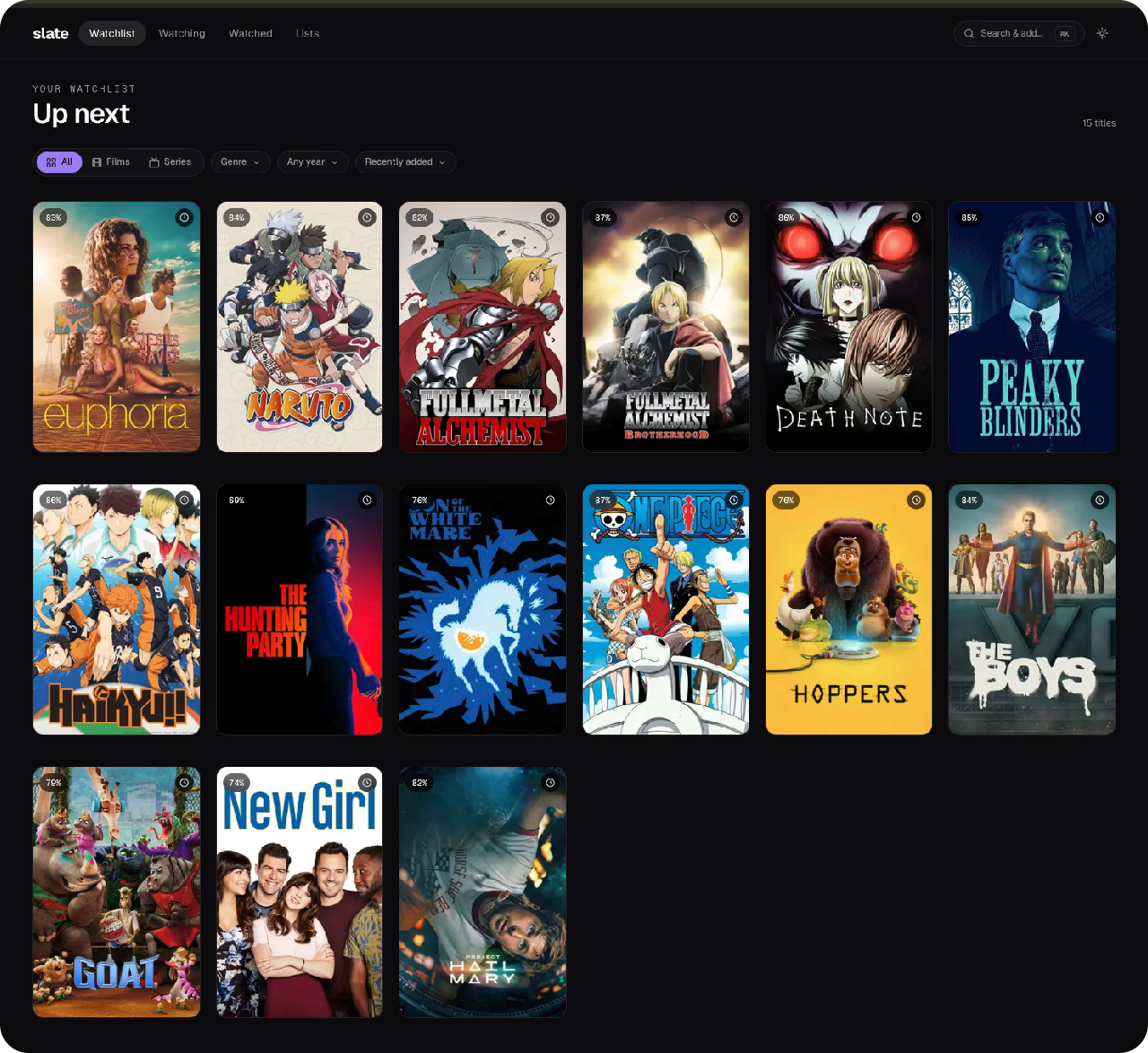
The constraints I set early, and held
A lot of what slate is came down to things I decided not to build. Single-user was the first of those calls, and a few others mattered just as much.
Single user by design.
There's no account to create, no followers, and nothing public. That's the opposite of Letterboxd's whole bet, but the social layer was the exact part I'd been ignoring for years, so it was the first thing to go.
Three states, no more.
Want, Watching, Watched, with a Loved / Liked / Disliked sentiment sitting underneath. I went back and forth on Paused, Dropped, and Maybe, and decided against all of them. Every extra shelf is another decision per title, which is exactly what you don't want at 11pm when you're just trying to pick something.
Self-hostable from day one.
Hit the button, connect a free Supabase project, and you're running in about two minutes. The account and the data stay yours, on infrastructure you control. (There's a docker-compose path for self-hosters too, though most people won't need it.)
Bring your own AI model.
Vibe search defaults to Groq's free Llama 3.3 tier so the live demo works for everyone, but one env var points it at Claude, GPT, or Ollama instead. Locking the AI to a single vendor felt wrong for a tool whose entire point is that you can take it anywhere.
Every one of these was me turning down an obvious feature. Pile them all back on and you've got a watered-down Letterboxd clone, which is exactly what I was trying to get away from.
Three decisions worth walking through
Ask AI lives inside the command palette, not beside it
Same keystroke you already use, and the habit just carries over.
The vibe-search feature (queries like "cozy autumn mysteries" or "A24 horror after 2020") could have been its own thing. A separate Discover tab with its own flow and search box. I considered that for a while.
But people are already living in Cmd+K. They hit it, type, and the thing's in their library. Splitting that into a "title or vibe?" choice would tax every single search, and give you a second place to look when you're hunting for something.
So instead there's a small pill at the top of the palette that flips between Search and Ask AI. The keystroke doesn't change and the results render the same way. You hit enter, the title lands in your library, and the habit you already had keeps working.
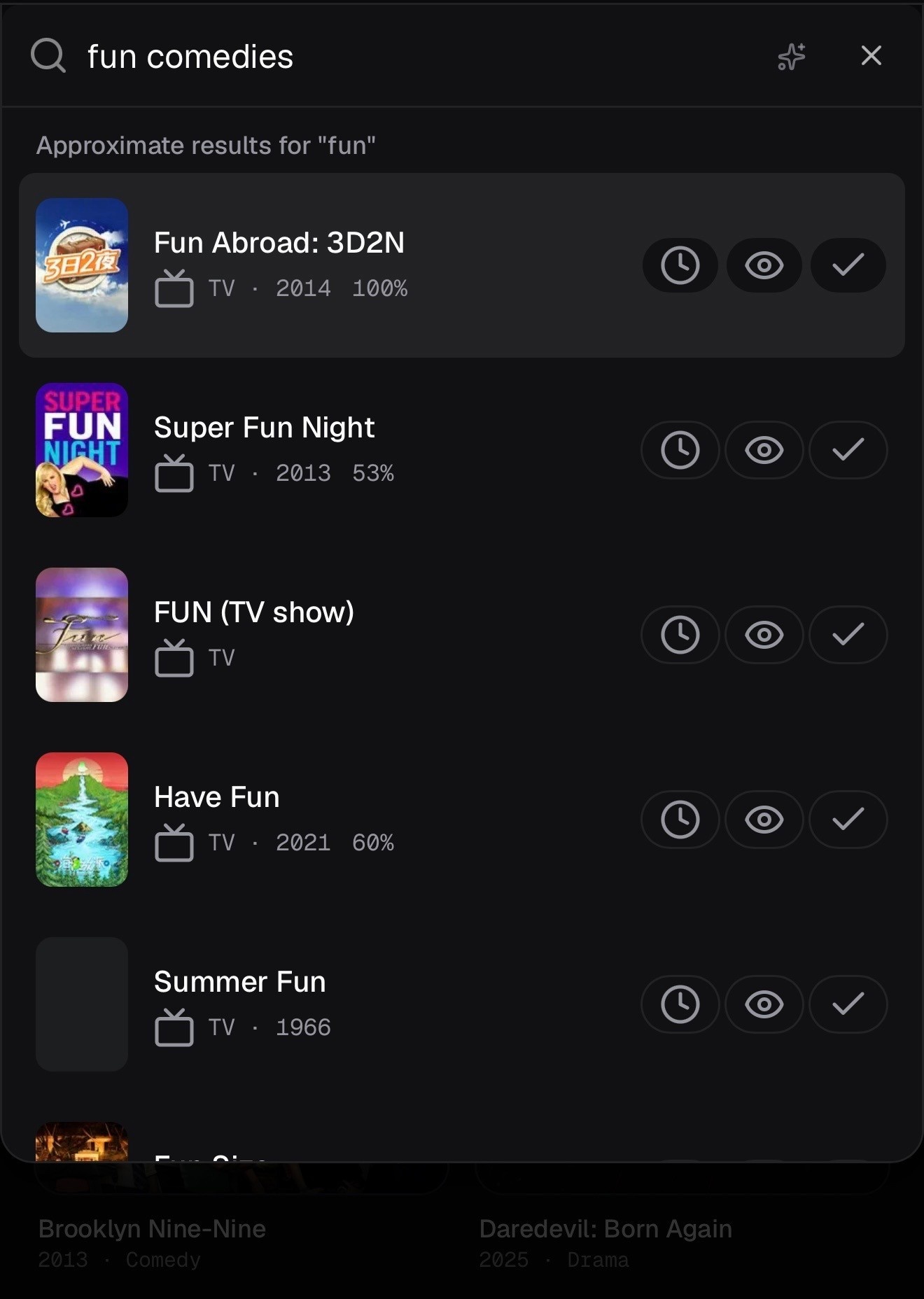
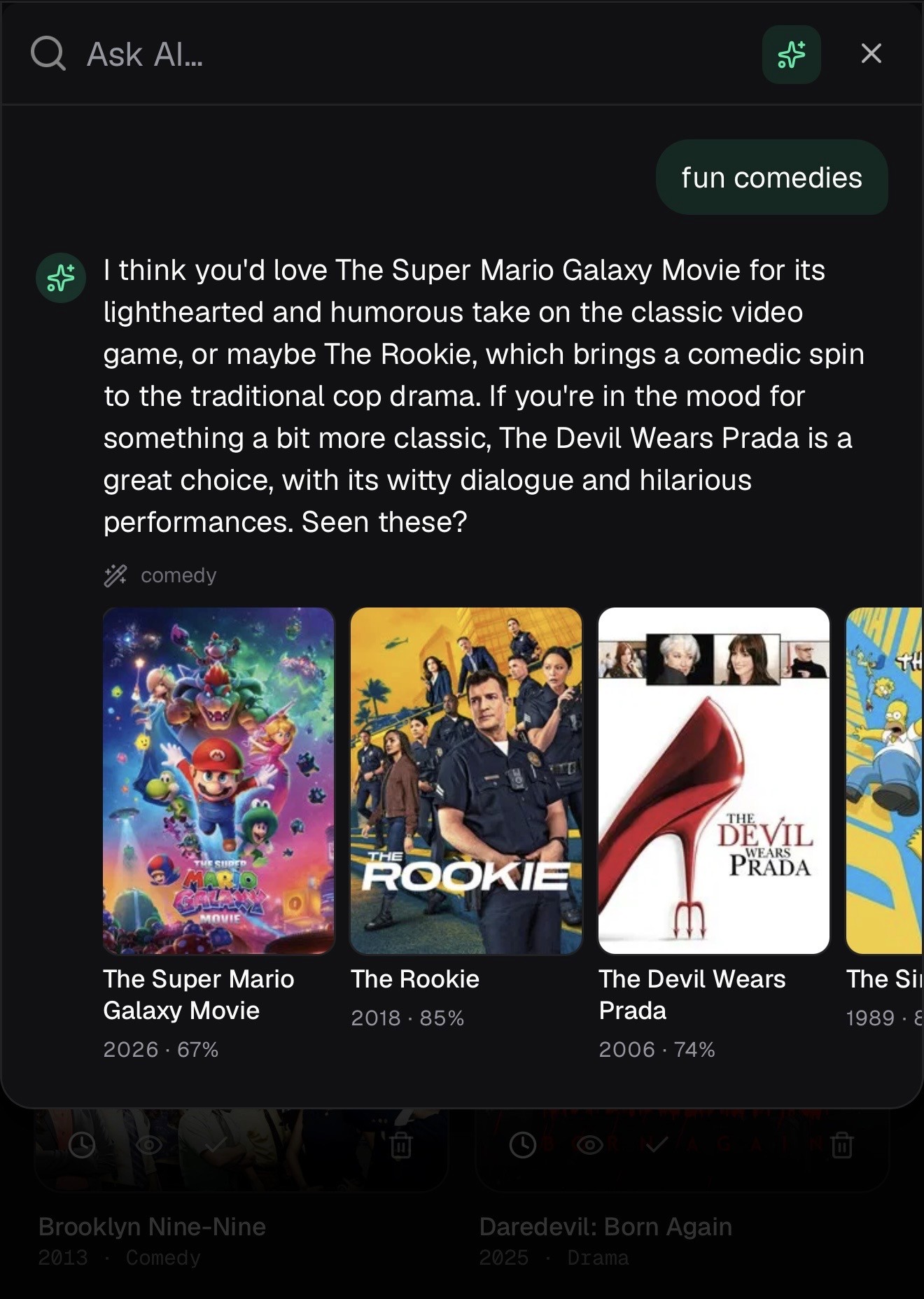
If you're adding an AI feature to a product people already use, the cheapest place to put it is usually inside a surface they're already in, not a brand-new one beside it.
Sentiment without stars
"I loved that one" is retrievable a year later. "I gave it a 4 out of 5" isn't.
Most apps let you grade what you watched, usually stars or a number out of ten. Slate skips that. You get Loved, Liked, or Disliked instead, and the numbers come from critic scores (IMDb, Rotten Tomatoes, Metacritic) pulled in automatically.
Personal star ratings always felt like homework to me, like I was grading the thing. And I noticed I never went back to read my own scores. What I went back to was how I felt about it, because that's how memory works anyway. "I loved that one" is still there a year later. "I gave it a 4 out of 5" isn't.
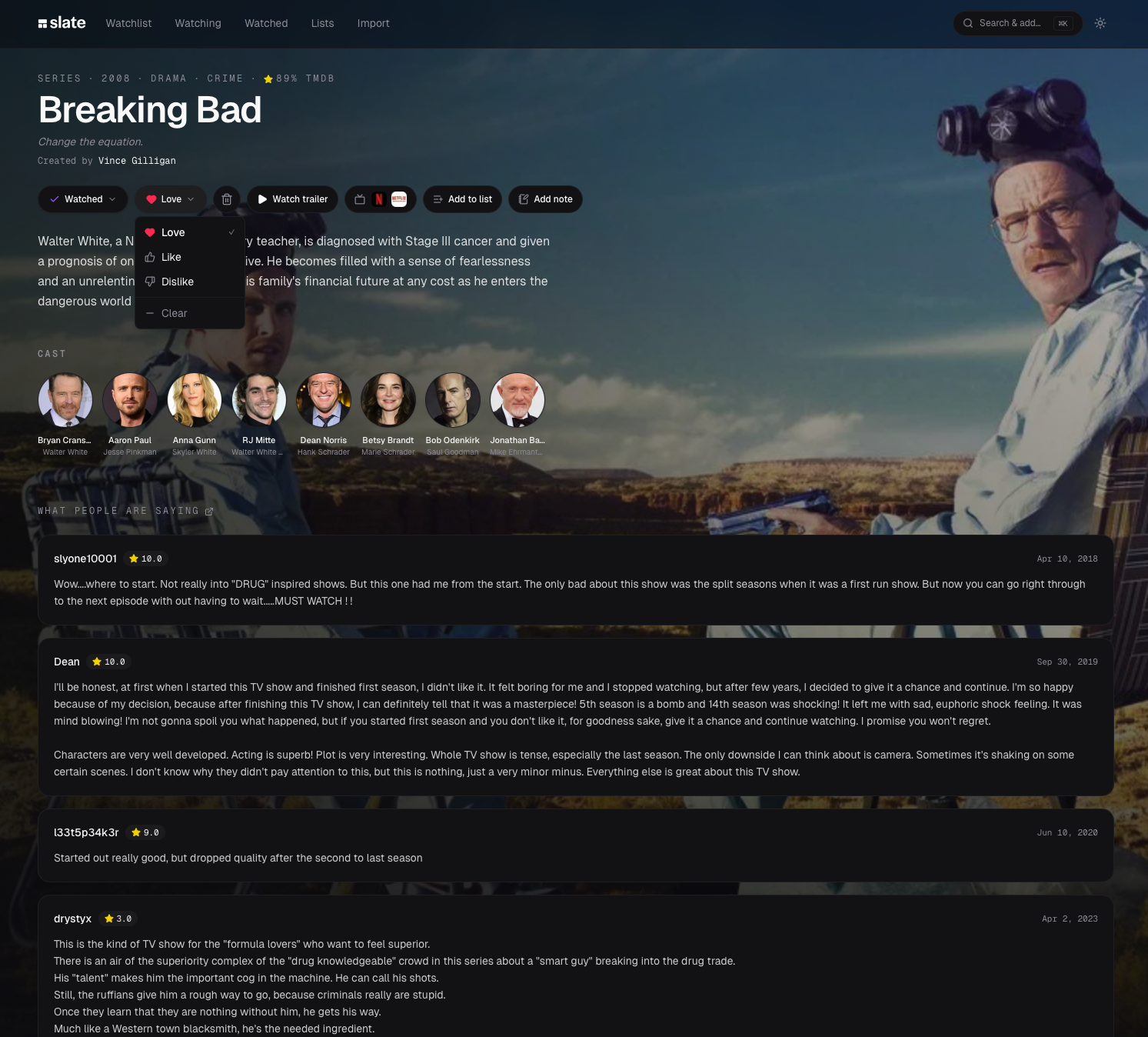
The critic scores end up doing that job better than my own rating would have. They come aggregated and already attached to the title the moment you log it, so you get a reference point without stopping to rate anything yourself. A personal rating field would have been friction for no real payoff, so it never went in.
CSV import on day one, not month three
Most personal projects skip migration. You ship it, you tell people to just start fresh. That was never going to work for me. I had five years of Letterboxd history and zero interest in retyping any of it.
So Slate handles CSV import for Letterboxd and Trakt out of the gate. Drop in your export and it matches each row against TMDB, drops anything already in your library, and files the rest into the right shelf with your ratings intact.
It took longer than I expected (TMDB matching gets fuzzy with older and international films), but it's the whole reason this became something I actually use instead of a cute side project.
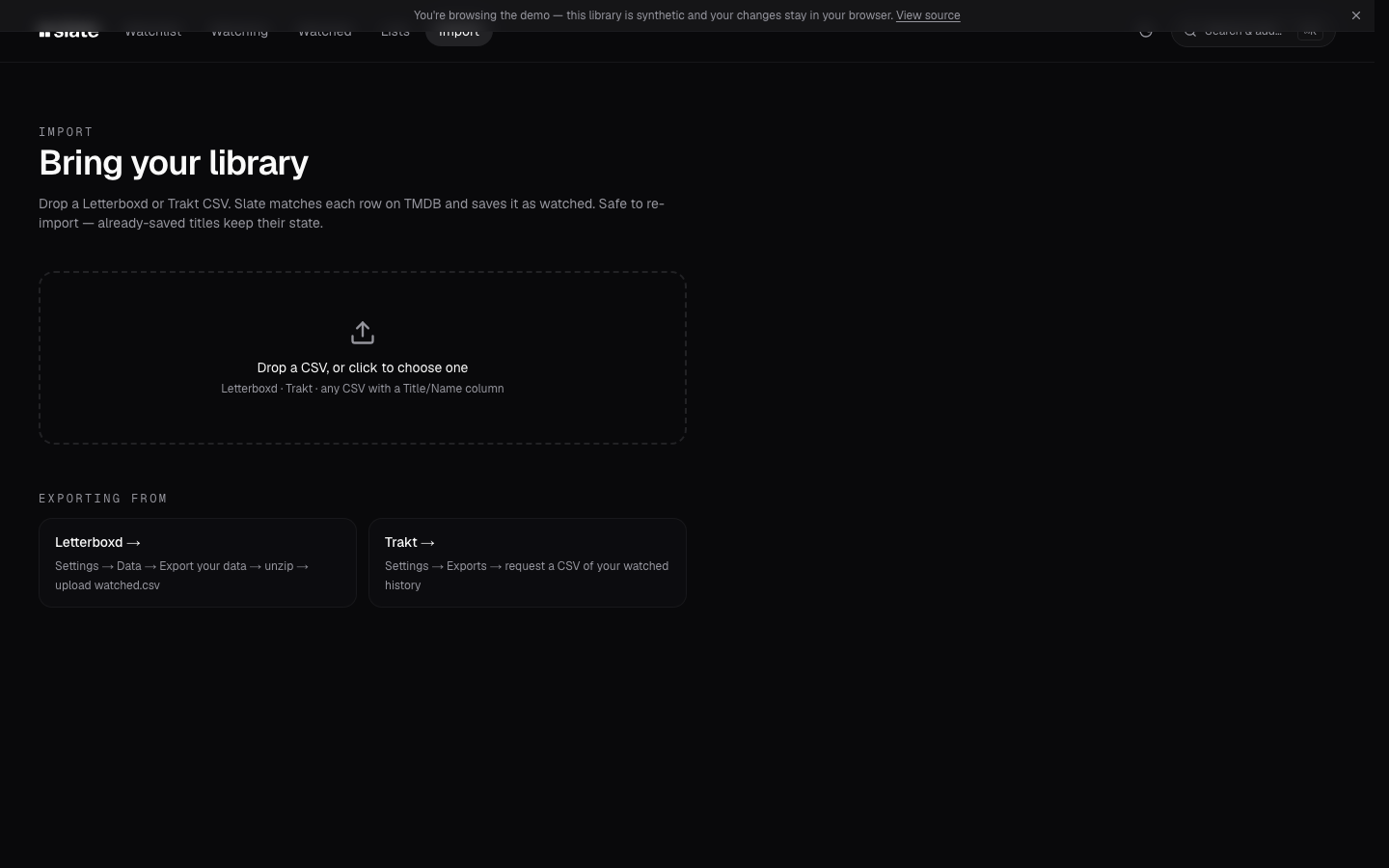
Any tool that asks people to leave another tool has to give them a door in. I think that's one of the biggest reasons personal projects never get used, even by the person who built them.
How it was built
The stack
Next.js 16, React 19, Tailwind v4, shadcn/ui, Supabase Postgres, plus TMDB and OMDB for catalog and ratings, all in TypeScript. Server Actions handle every mutation. The self-host setup runs Postgres, PostgREST, the Next.js app, and Caddy through docker-compose, and the Vercel deploy is one click.
The workflow
I treated this like any product at work, just compressed. It started with a PRD, written with Claude as a thinking partner, covering what Slate was and wasn't, the three states, how the AI search should behave, the import flow, the self-host story. That doc became the brief I handed to Claude Code.
Alongside that, I designed the core screens in Figma (library, detail view, command palette, import flow) and pulled reference patterns from Mobbin for the things that are hard to invent cold: how a command palette should feel, what an empty state should say, the way a detail view layers its content.
All of it went into Claude Code with the PRD. By the time I wrote a line of code, the model knew what we were building, what it should look like, and what good looked like in similar apps.
That's the actual reason it took two weekends and not two months. Claude Code isn't magic. Most AI-assisted work falls apart when the model has to guess what you meant, and a PRD plus designs plus references means it doesn't have to. It mostly just executed.
What AI did well
Scaffolding shadcn components against my Figma frames, writing Supabase queries from the PRD's data model, wiring up the Next.js routing, the TMDB client, the Caddy config for self-hosting. A lot of code I could have written but didn't need to. Maybe 5x faster on the boilerplate, sometimes more.
What AI didn't do well
The IA decisions. Whether Ask AI lives inside the palette or beside it. Whether to kill personal star ratings for critic scores. What the empty Watching shelf should say. Whether a passcode gate belongs in v1 or is just overengineering. Those were all me. The model's great once a decision is framed clearly, but it can't tell you which decision is right, because it has no feel for what the product is supposed to be. That part stays with the designer, and honestly it's only gotten more important as the rest of the work got faster.
A few build decisions worth calling out, because they're the kind of thing that gets skipped in vibe-coded apps and then breaks at the worst possible time:
The Supabase service role key only lives in lib/supabase.ts, which has import "server-only" at the top, so it can't end up in a client bundle. The TMDB key stays off the client too. The command palette goes through a server proxy at /api/tmdb/search. Small things, but for a self-hoster who forks the repo and pushes to public GitHub, that's what keeps a key from leaking.
Caddy proxies the Postgres and PostgREST stack on a self-hosted box, so the normal Supabase client just works. The same code path runs whether you're on Vercel and Supabase or on your laptop with docker-compose. No second branch of the codebase to babysit when you switch environments, which I really didn't want to deal with.
Slate is the kind of thing people leave open for weeks, so it checks for a new deploy every 45 seconds and pops a Sonner toast when one lands. No service worker or PWA behind it, just a version check.
What I'd do differently
I'd build the Ask AI search first instead of last. I saved it for the end, and it changed how I use the app more than anything else did. Most of my searches are vibe queries now rather than titles, so the whole command palette should have been vibe-first from day one. It got retrofitted instead, and you can still feel that in the empty states and the way results render.
I'd have spent more time on empty states. The Watching and Want shelves look good once they've got something in them and pretty awkward when they don't, which is exactly when most people meet them for the first time. I treated empty states as late polish. They sit a lot closer to the front door than that.
What's next
Probably not much. Slate does what I needed it to, and I use it every day. It's MIT licensed, the docker-compose lives on GitHub, and the README walks through the Vercel path. If anyone wants to fork it and run their own copy, that's the whole point.
If you want to try it, there's a live demo at slate.nishh.dev/app with seeded data, or you can pull the repo at github.com/gitshanks/slate and have your own copy running before the kettle boils.